
How to invite users
MyPC works based on users being invited to an organisation.
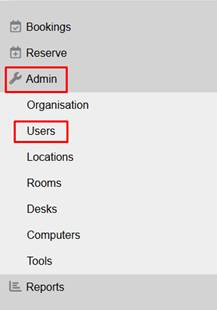
To invite a user, go to Admin and select Users.
Click on “Invite Users”

Simply enter the users first name, last name and their email address.
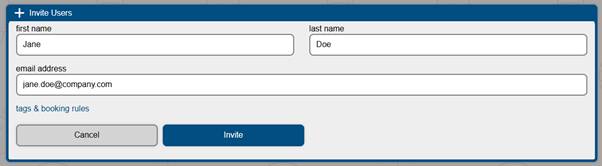
Click Invite.
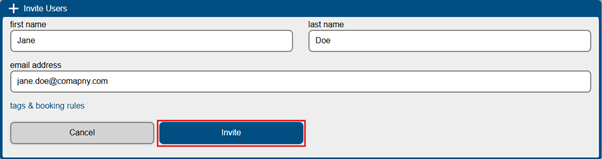
The user will receive an email which with a unique click to join the organisation. This email link is valid for 48 hours.
If the user fails to accept the invitation an admin can re-invite them. To do this click on the user and click Re-Invite.

Once the user confirms their registration, they are ready to make bookings.
Please note if using EntraID or Directory Services (Library Login) there is no need to invite the user.