
Accessibility Support
MyPC Cloud is designed to provide an accessible interface, enabling users to:
- Zoom the UI for better visibility
- Navigate and interact using the keyboard
- Work seamlessly with screen readers
How to Increase Zoom
To adjust the zoom level:
Click on the top-right corner where your user account initials or ID are displayed.
Select Settings from the dropdown menu.
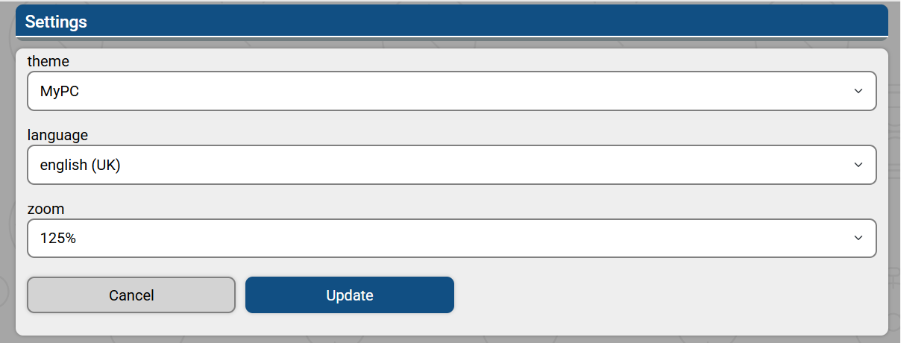
You will now see configurable options for accessibility.
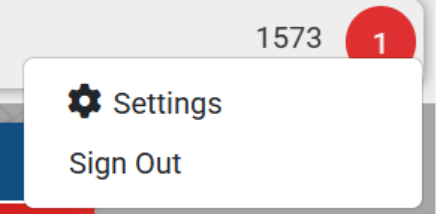
You will now be presented with the configurable option as a user.
Available Accessibility Features
- High Contrast Theme - Switch to a high-contrast colour scheme for improved readability and visibility.
- Zoom Option - Increase the interface size for better clarity. Zoom levels are available up to 150%.
Keyboard Support
Keyboard navigation is enabled by default. You can move around the interface using the following keys:
- Tab – Navigate between interactive elements
- Spacebar – Activate buttons or toggle options
- Enter – Confirm selections or submit actions
- Arrow Keys – Move within menus or drop downs