
User Tags – Associated with Directory
User tags when using EntraID or Library Login directories were synchronised with the directories and any tag not returned by the directory was automatically removed. Including ones which were manually assigned to the user.
To allow greater flexibility with user tags when adding a tag, you can select a checkbox to associate it with a directory. If enabled, the tag will dynamically update based on directory data.
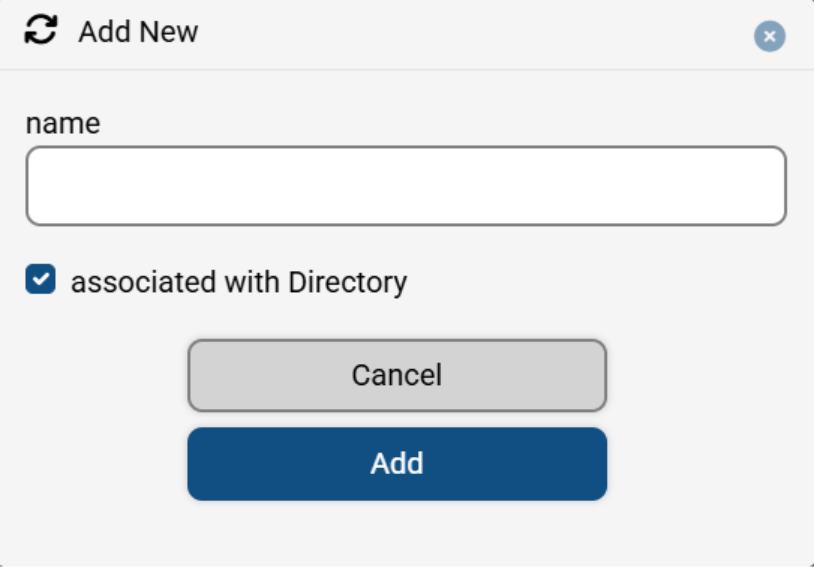
Additionally, you can create user tags that do not synchronise with the directory. This provides greater flexibility for rule creation, as these tags will remain intact and will not be removed automatically when the user logs in or staff make a booking on their behalf.
A user tag associated with the directory will have a different icon compared to a normal tag
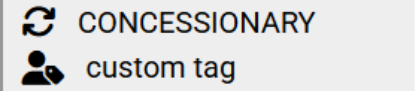
Above the CONCESSIONARY tag is associated with EntraID and the custom tag is a normal tag.
Please note: If you create a tag associated with a directory and apply it to a user who is not part of that directory—such as a MyPC Cloud user, or a Microsoft or Google user—the tag will still be retained. This is because these login methods do not synchronise with EntraID or Library Login services.