
How to enable logs in MyPC Cloud client
This document describes how to enable client debug logging to help support issues if they occur.
Steps to Enable Debug Logging on a Single Computer
- Login as an Owner/Super Admin user.
- Navigate to Admin → Computers.
- Find and select the computer you want to enable logging for.
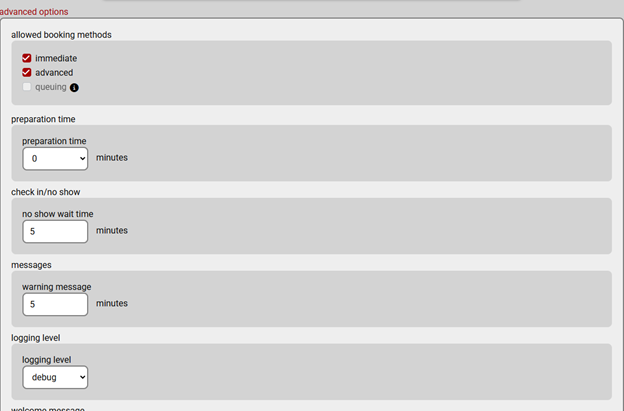
- Expand Advanced Options and locate Logging Level.
- Change the setting from Off to Debug.
Enable Debug Logging on Multiple Computers
- Go to Admin → Tools → Computer Tools.
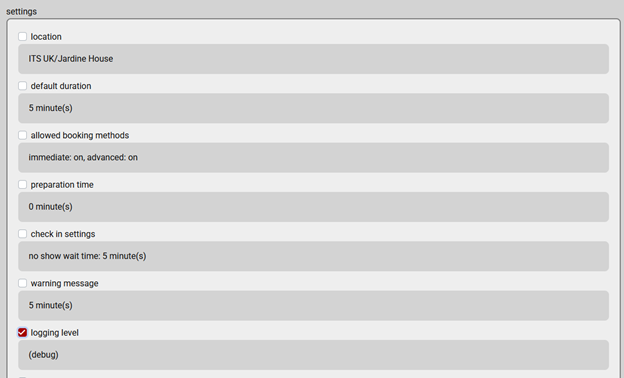
- Open Copy Properties.
- Select the source PC (where you already enabled debug logging).
- Choose your target computers.
- Tick the property Logging Level.
- Click Copy to apply the setting to all selected computers.
Location of Logs
Logs are stored in: \Program Files\itsclient\logs
Zip the entire logs folder and send it to the support team.