
How to Suspend and Enable Users
The Suspend User feature allows administrators to block a user from accessing the MyPC web portal and client application, without disabling their account for other systems outside of MyPC.
How to Suspend a User
To suspend a user, you must have Super Admin rights in MyPC.
1. Navigate to Admin → Users
2. Search for or scroll to the user you want to suspend.
3. Expand the user's record.
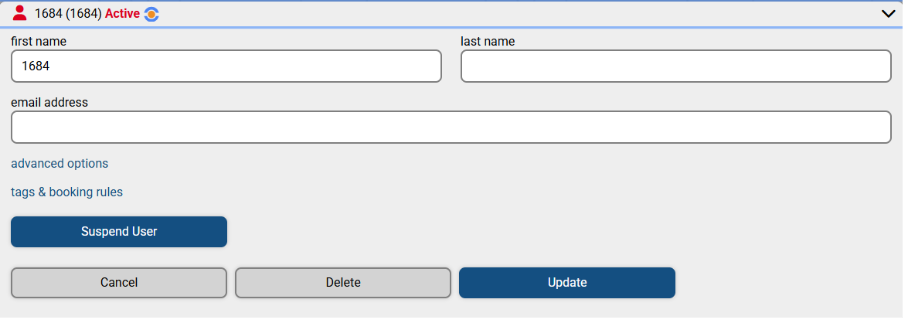
4. Click the Suspend User button.

Once suspended, the user will be blocked indefinitely from logging into the MyPC web and client interfaces. They will see a message informing them that login is denied.
Please note: Suspended users can still log in to Block Booked PCs.
How to Enable a Suspended User
To re-enable a suspended user:
1. Go to Admin → Users
2. Locate and expand the user’s record.
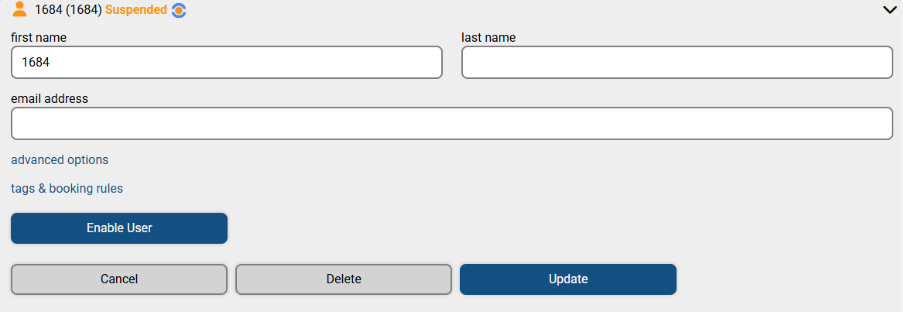
3. Click the Enable User button.
This restores the user's access to MyPC web and client applications.